

Last Updated: May 2026 · By Ehtisham Saeed, RTO Marketing Specialist
Most RTO accounts optimise toward cheap enquiries. The accounts that optimise toward enrolments are tracking a conversion that happens in the Student Management System, not on the website.
There are dozens of good guides on setting up Google Ads conversion tracking, and they all stop at the same place: the form submission. Track the thank-you page, fire the tag, count the lead. For most businesses that is enough. For an RTO it is the start of the problem, not the end, because an enquiry is not an enrolment, and the gap between them is where RTO campaigns succeed or fail.
This guide covers the conversion tracking essentials quickly, then spends most of its time on the part no generic guide addresses: tracking the enrolment itself, and doing it within the Privacy Act. It sits under the RTO Google Ads account structure pillar and answers the question the cost per enrolment guide raised: you cannot measure cost per enrolment without tracking the enrolment.
Why the Standard Conversion Setup Misleads RTOs
The default conversion setup optimises toward the wrong thing for an RTO, and the reason is the VET sales cycle.
For a beginner: conversion tracking is a small piece of code on your website that tells Google Ads when someone does something valuable, like submitting an enquiry form. Google then learns which ads and keywords produce those actions and shows your ads to more people likely to do the same.
For an intermediate operator: here is the trap. If the only conversion you track is the enquiry form, Google’s Smart Bidding optimises toward cheap enquiries. It will happily find you more of the keyword that produces $8 enquiries, even if those enquiries never enrol, over the keyword that produces $20 enquiries that enrol at 40 percent. The algorithm optimises toward what you tell it is valuable, and if you only tell it enquiries are valuable, it will not know an enrolment from a tyre-kicker.
For a compliance and finance manager: the enquiry-to-enrolment cycle in VET runs two to six weeks, sometimes longer for higher qualifications. The enrolment is recorded in the Student Management System, disconnected from the ad platform. Unless that enrolment data is fed back to Google, the entire spend is optimised on a proxy metric (the enquiry) rather than the real outcome (the enrolled student). Connecting the two is the single highest-value tracking task an RTO can do.
The Conversion Tracking Essentials
Every RTO account needs the basics done correctly first. Conversion tracking is free and included in every Google Ads account; the cost is in setting it up properly.
The essentials, kept brief because the generic guides cover the click-by-click detail well:
- Trigger conversions on a thank-you page, not a button click. The gold standard is to fire the conversion when the enquiry form reaches its success or thank-you page, which confirms a genuine submission rather than just a click on the submit button.
- Use “One” not “Every” for lead conversions. If a prospective student submits the same enquiry form twice, that is one lead, not two. The “One” count setting prevents inflated numbers.
- Set a realistic conversion window. Because the VET decision cycle is long, a 30 to 90 day click-through window suits an RTO better than the short windows that suit impulse purchases.
- Install via Google Tag Manager where possible. A tag manager makes it easier to add, edit, and audit your tags without touching the website code each time.
- Test before you trust the data. Use Google Tag Assistant to confirm the tag fires, and remember verification can take up to 24 hours before the conversion shows as active.
Get these right and you have accurate enquiry tracking. That is necessary, but for an RTO it is only the first of three conversions worth tracking.
The Three Conversions an RTO Should Track
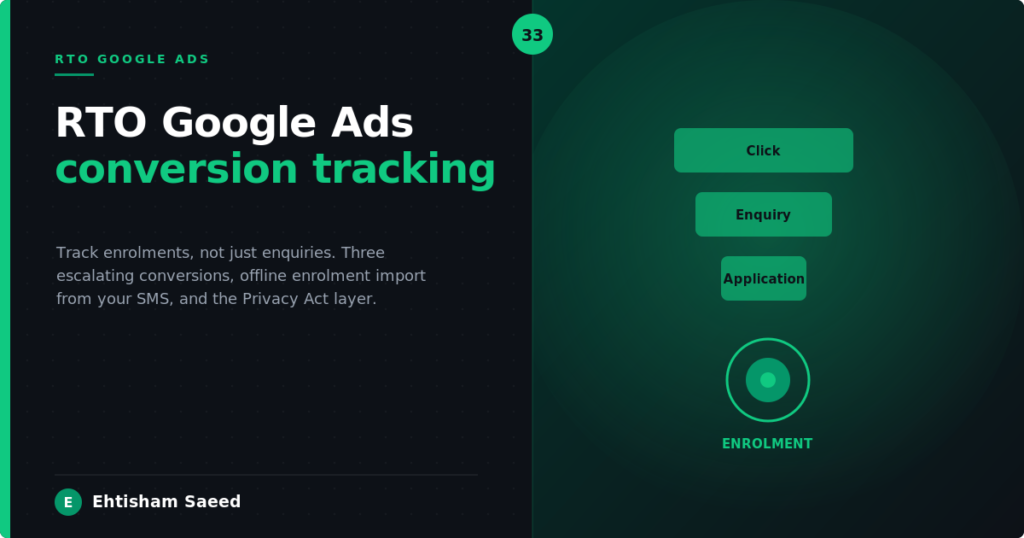
An RTO’s funnel has three points worth measuring, each more valuable than the last, and each should be a separate conversion action with its own value.
- The enquiry. A form submission or phone call. The earliest signal, the highest volume, the lowest value. This is what most accounts track and stop at.
- The application. When the prospect begins a formal application (supplying USI, starting the enrolment form, completing the LLN assessment). A stronger signal of genuine intent, lower volume, higher value.
- The enrolment. The confirmed, paid, signed enrolment recorded in the Student Management System. The real outcome, the lowest volume, the highest value.
Assigning escalating values to these three (for example, an enquiry worth a small nominal value, an application worth more, an enrolment worth the most) lets Smart Bidding optimise toward the actions that actually produce students. The algorithm shifts budget toward the keywords and ads that produce enrolments, not just the ones that produce the most enquiries.
Tracking the Enrolment, Not Just the Enquiry
This is the part no generic guide covers and the part that matters most for an RTO. The enrolment happens in the Student Management System, often weeks after the click, so it has to be sent back to Google as an offline conversion.
The mechanism is called offline conversion import (sometimes enhanced conversions for leads, depending on the setup). The flow works like this:
- When a prospect clicks your ad and submits an enquiry, Google attaches a unique click identifier (the GCLID) to that visit.
- Your enquiry form captures and stores that identifier alongside the lead record.
- When that lead later enrols in your Student Management System, you export the enrolment with its stored click identifier.
- You import that enrolment back into Google Ads as a conversion, with the enrolment value.
Now Google knows not just that a click produced an enquiry, but that a specific click produced an actual enrolment weeks later. Smart Bidding can optimise toward the clicks that become students. This closed-loop tracking transforms the campaign from optimising on a proxy to optimising on the real outcome.
For RTOs using a Student Management System that stores the click identifier and supports conversion export, this can be largely automated. For RTOs on systems that do not, the import can be done manually on a weekly or monthly upload, which is still far better than not tracking enrolments at all. The key first step is making sure the enquiry form captures and stores the GCLID, because without it the enrolment can never be matched back to the click.
Click-to-Call: The Conversion RTOs Forget
A large share of RTO enquiries come by phone, especially for older cohorts and trades, and many accounts fail to track calls as conversions at all.
Two call conversions are worth tracking: clicks on the click-to-call button on a mobile course page, and calls that last beyond a minimum duration (which filters out wrong numbers and hang-ups). Tracking only form submissions while ignoring phone enquiries undercounts conversions and skews Smart Bidding away from the keywords that drive callers. For an RTO whose prospective students often prefer to phone, this can hide a meaningful slice of the campaign’s real performance.
Enhanced Conversions and the Privacy Act
Enhanced Conversions improve tracking accuracy by sending Google hashed first-party data (an email or phone number, converted into an irreversible string) to better match conversions to clicks. For an RTO, enabling Enhanced Conversions improves data quality, but it also means you are sending customer data to Google, which brings the Privacy Act 1988 into scope.
The data sent is hashed, not raw, so Google does not receive a readable email address. But the act of collecting that data and sending it for an advertising purpose is still a use of personal information under the Australian Privacy Principles. The requirement is not to avoid Enhanced Conversions; it is to disclose the practice properly and ensure the collection notice and privacy policy authorise it.
This connects conversion tracking to the same privacy framework that governs your enquiry forms and your nurture sequence. The student’s data is being used across all three, and the privacy policy has to cover that use.
What Your Privacy Policy Must Disclose
An RTO running conversion tracking, analytics, and Enhanced Conversions needs its privacy policy and collection notice to disclose the practice. The disclosures that matter:
- That the website uses cookies and analytics to track visitor behaviour, including for advertising measurement, under Australian Privacy Principle 5 (notification of collection).
- That data may be shared with third-party platforms such as Google for the purpose of measuring and improving advertising.
- That hashed customer data may be used for conversion matching, if Enhanced Conversions is enabled.
- How a person can opt out or contact the RTO about their data.
Most RTO privacy policies already disclose cookies and analytics in general terms; the addition for conversion tracking is making sure the advertising-measurement use and any third-party data sharing are covered. This is a standard inclusion, not a heavy lift, but it needs to be present before Enhanced Conversions is switched on.
Common Conversion Tracking Mistakes in RTO Accounts
The patterns I see most often when auditing an RTO account’s tracking:
- No conversion tracking at all. The account runs on clicks and impressions, with no idea which keywords produce enquiries, let alone enrolments. Smart Bidding cannot function without conversion data.
- Tracking the enquiry but not the enrolment. The most common partial setup. The account optimises toward cheap enquiries that may never enrol.
- Tracking a button click instead of a form success. Counts people who clicked submit but never completed, inflating the numbers and misleading the optimisation.
- No call tracking. Phone enquiries, a major channel for many RTOs, go uncounted, hiding real performance.
- Enhanced Conversions enabled without privacy disclosure. Customer data sent to Google without the privacy policy covering it, a Privacy Act gap.
The first two are the expensive ones. An account with no enrolment tracking is optimising the wrong metric every single day it runs.
Frequently Asked Questions
Is Google Ads conversion tracking free?
Yes. Conversion tracking is included in every Google Ads account at no cost. The investment is in setting it up correctly, particularly the enrolment tracking that connects the Student Management System back to the ad platform.
How does an RTO track an enrolment that happens weeks after the click?
Through offline conversion import. When a prospect clicks your ad, Google attaches a click identifier (GCLID). Your enquiry form stores it with the lead. When the lead later enrols in your Student Management System, you export the enrolment with that identifier and import it back to Google as a conversion. This lets Smart Bidding optimise toward enrolments rather than just enquiries.
What conversion window should an RTO use?
Because the VET decision cycle is long, a longer click-through conversion window suits an RTO, commonly 30 to 90 days. This gives Google enough time to attribute an enrolment to the original click even when the decision takes several weeks.
Does Enhanced Conversions breach the Privacy Act?
Not in itself. Enhanced Conversions sends hashed (irreversible) customer data, not readable personal information. But it is still a use of personal information under the Australian Privacy Principles, so the website privacy policy and collection notice must disclose the practice. The requirement is disclosure, not avoidance.
Should an RTO track phone calls as conversions?
Yes. Many RTO enquiries arrive by phone, particularly for older cohorts and trades. Track both click-to-call button clicks and calls beyond a minimum duration. Ignoring calls undercounts conversions and skews the optimisation away from the keywords that drive callers.
What is the most important conversion tracking fix for an RTO?
Connecting enrolment data back to Google so the campaign optimises toward enrolled students rather than enquiries. The first practical step is ensuring the enquiry form captures and stores the click identifier, because without it no enrolment can ever be matched back to the click that produced it.
What Happens Next
Conversion tracking is what makes every other Google Ads decision measurable. Once the enrolment is tracked, you can finally see your true cost per enrolment, optimise the keywords that produce students, and judge whether the account structure in the RTO Google Ads account structure pillar is working. Without it, every other decision is a guess.
Want your landing pages and enquiry forms checked for both conversion readiness and compliance? RTO Scanner reviews public-facing copy against the phrases ASQA flags and validates your RTO code against training.gov.au in real time, free, in under five minutes.
More on RTO Paid Ads
This guide is part of my RTO Paid Ads series. Read these next:
- Start here: Google Ads for RTOs
- Meta ads for RTOs
- Facebook lead ads for RTOs
- What Meta ads cost an RTO
Want this done for your Registered Training Organisation? See Google Ads management for RTOs.
