Most Australian RTOs have compliance issues on their websites they don't know about. The content was written years ago by a designer who wasn't reading ASQA Practice Guides. The marketing team added employment-outcome language that technically breaches the marketing compliance rules. A page about government-funded courses mentions "guaranteed eligibility" when eligibility is never guaranteed. The NRT logo sits in a global footer on pages advertising non-accredited workshops.
These issues usually surface during an ASQA audit — by which point they're findings, not fixable drafts. The audit finding goes on the record. The compliance action plan requires remediation. The reputational risk is real.
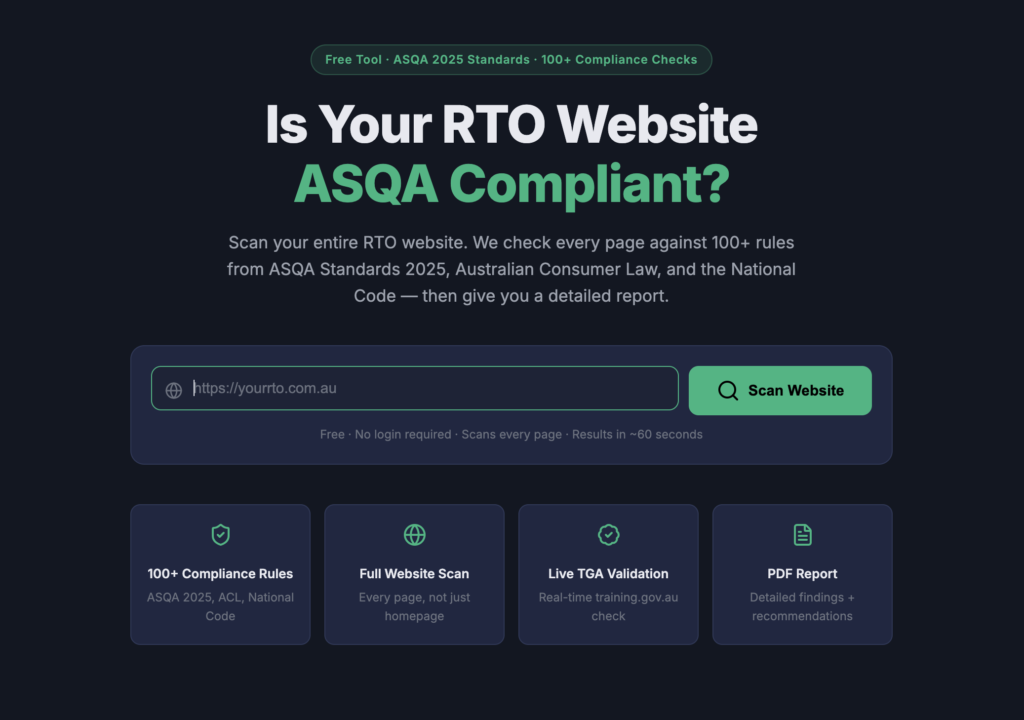
The RTO Scanner exists because most RTOs can't afford a compliance consultant to audit every page of their website, and most generic website compliance tools don't know what to look for in VET-specific content. The Scanner is free because the value is in knowing — knowing what's on your website that shouldn't be, and knowing what needs to be there that isn't.
## What the RTO Scanner checks
### 75+ prohibited phrases
The 2025 Standards for RTOs and the Information and Transparency Practice Guide explicitly prohibit certain types of claims. The Scanner checks for the most common violations:
- **Employment guarantee language** — "guaranteed job outcomes," "guaranteed employment," "promised career," variations that suggest ASQA-prohibited employment guarantees
- **Misleading income claims** — earning figures presented as guarantees, salary projections without sufficient context, income claims that aren't substantiated
- **Non-compliant government funding language** — "guaranteed eligibility," "government funded" without eligibility criteria, claims that all students qualify for government funding when eligibility is conditional
- **Unsubstantiated outcome claims** — "100% pass rate," "nationally number one," superlatives that can't be verified
- **Prohibited comparisons** — direct comparisons to specific competitors in ways the marketing compliance rules prohibit
- **Timing and duration claims** — "get qualified in X weeks" when the training package specifies minimum volume of learning hours the claim ignores
These 75+ specific phrase patterns come from direct research into ASQA compliance actions, the Information and Transparency Practice Guide, and the marketing-related clauses in the 2025 Standards. The patterns update as ASQA publishes new guidance and compliance actions.
### RTO code validation against training.gov.au
The Scanner checks your displayed RTO code against the national register at training.gov.au. If the code doesn't match what's registered, that's a problem — could indicate a typo, could indicate a deregistered status, could indicate an RTO code displaying on a site that isn't actually the RTO.
This also catches websites that don't display an RTO code at all — a requirement under the 2025 Standards for any page that advertises nationally recognised training.
### Course page scanning for qualification accuracy
The Scanner checks course pages against training.gov.au qualification data. Qualification titles and codes need to match exactly — "Certificate III in Individual Support" is correct; "Cert 3 in Aged Care" is an old naming convention that shouldn't appear on course pages advertising the current qualification. The Scanner flags qualification code mismatches and title drift.
### Up to 30 pages per scan
The scan covers up to 30 pages of any RTO website — enough to cover most small-to-medium RTO sites completely, including all course pages, about pages, policy pages, and navigation paths. Larger RTO sites with hundreds of pages get a representative sample covering the highest-priority pages.
### Compliance score from 0 to 100
The Scanner generates an overall compliance score. 0 to 40 indicates significant compliance issues requiring immediate attention before any ASQA interaction. 41 to 70 indicates moderate issues that should be addressed in the next site update cycle. 71 to 90 indicates good compliance with minor refinements possible. 91 to 100 indicates strong compliance with no significant issues detected.
The score isn't a substitute for a professional compliance audit — it's a baseline diagnostic that surfaces the common issues quickly and free.
### Downloadable PDF report
After the scan, a PDF report is available for download. The report lists every issue found, the specific page where each issue appears, the category of the issue (marketing compliance, RTO code, qualification accuracy, prohibited phrase), and the recommended action. The PDF is formatted for internal review and sharing with marketing or compliance managers.
## What the Scanner doesn't do
**It doesn't replace a professional compliance audit.** Scanning a website catches issues on public-facing content. It doesn't review your Training and Assessment Strategies, your assessment validation processes, your student record management, your trainer currency documentation, your complaints handling, or anything else that happens inside your RTO operations. Those require a qualified compliance consultant or an ASQA audit itself.
**It doesn't replace ASQA's compliance assessment.** A clean Scanner score means your public website doesn't have the common issues. It doesn't mean ASQA will find no issues during an audit — ASQA reviews far more than website content.
**It doesn't provide legal compliance advice.** The Scanner identifies patterns that commonly indicate compliance issues. Whether a specific piece of content actually breaches the Standards in your specific circumstances is a regulatory interpretation question that should be reviewed by someone qualified to provide that advice.
**It doesn't check accessibility, performance, or general web best practices.** Other tools check WCAG compliance, PageSpeed, security, and general SEO. The Scanner focuses specifically on Australian RTO compliance content issues.
## Why it's free
The Scanner generates value whether or not anyone ever pays for a related service. An RTO discovers compliance issues on their website, fixes them, avoids an ASQA finding — the sector is better for it. That's worth running even if the next 100 scans produce zero sales conversations.
The commercial logic: when an RTO does need the compliance issues fixed, Easy RTO (the WordPress theme and plugin) is the most efficient path to rebuild the site correctly. When the RTO needs ongoing SEO and marketing, Everyshot's services make sense. The Scanner surfaces the need; the products and services fulfill it. That's a better funnel than paywalling a diagnostic tool.
## How to use the RTO Scanner
Visit rtoscanner.ehtishamsaeed.com. Enter the RTO website URL. Click Scan. Wait about two minutes while the Scanner reviews up to 30 pages. Review the compliance score and the issues list. Download the PDF report.
If issues are flagged, the report indicates what to fix and where. For minor issues, your web team can address them in an update cycle. For systemic issues — like the NRT logo in a global footer on a mixed-content site — the fix is usually architectural and worth discussing with someone who understands RTO website compliance.
## Who should run the Scanner
Every Australian RTO should run it on their own site. Compliance managers should run it before internal compliance reviews. Marketing managers should run it before major content updates. CEOs should run it before ASQA audits to see what an auditor might find. New RTOs applying for registration should run it to baseline their initial website. Any RTO should run it on a competitor's site just to see what shows up — useful for understanding what not to do.
## What happens after a scan
Nothing unless you want something to happen. No follow-up emails. No sales calls. No mailing list subscription. The Scanner logs anonymised scan data for product improvement — understanding which patterns are most common across the sector — but no personal information is captured because no signup is required.
If the scan surfaces issues you want help with, the website is structured to direct you to relevant next steps: the Easy RTO product page for rebuilds, the Everyshot services pages for ongoing work, or the booking link for a strategy call. All opt-in.
## Run it now
Visit rtoscanner.ehtishamsaeed.com and scan any Australian RTO website. Your own site, a competitor's, a partner RTO's — whoever's URL you paste. Results in about two minutes. PDF report downloadable. No signup.